Camera - Turret Wi-Fi
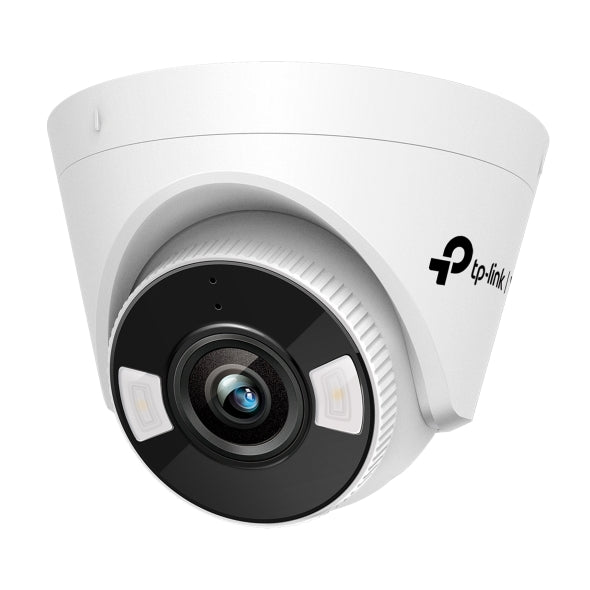
VIGI C440-W - 4MP Full-Color Wi-Fi Turret Network Camera
- Brand
- TP-Link
- Model
- C440-W
- Part number
- VIGI-C440-W
- Availability
- Ordered on demand
- Datasheet
- Manufacturer specifications ↗
Lens
This choice changes the specification and cannot be changed after ordering. Tell us which you need when you enquire.
Temporary installations, remote areas, flexible deployments
Request a quoteSpecifications
| Resolution | 4MP (2560x1440) |
|---|---|
| Lens | 4mm fixed |
| Connectivity | 2.4GHz Wi-Fi or wired Ethernet |
| Night vision | Full colour, white light and IR up to 30m |
| Smart features | Smart Detection, Human & Vehicle Classification |
| Video enhancement | WDR, 3D DNR |
| Power | 12V DC adapter |
| Protection | IP66 |
| Operating temperature | -30°C to 60°C |
| Audio | Built-in microphone and speaker, two-way |
| Storage | microSD up to 512GB |
| Compression | H.265+ |
What this is for
Connects over 2.4GHz Wi-Fi, so it reaches positions where pulling a network cable is impractical: an outbuilding, a rented unit, a heritage wall you cannot drill through. Records 2560 x 1440 in full colour with an F1.6 aperture, two white LEDs and two infrared LEDs to 30 metres, and two-way audio through a built-in microphone and speaker.
Three things to plan for. It has no PoE, so it still needs mains power at the mounting point and a 12V supply; going wireless removes the data cable, not the power cable. TP-Link publishes no weatherproof rating for it, so treat it as an interior camera. And its analytics do people detection only, without the vehicle classification the wired models carry, which makes it a poor choice for a driveway or gate where you want to tell cars from pedestrians. Single 4mm lens at 79 degrees.
What you also need
This item is part of a system. A working installation needs each of these.
- ✓ A 12V DC power supply at the camera position, since the Wi-Fi model is not powered over PoE
- ✓ A strong 2.4GHz Wi-Fi signal at the mounting point, or a Cat6 run back to the network
- ✓ A free channel on a VIGI recorder, or VIGI app and cloud viewing