Camera - Pan/Tilt Varifocal
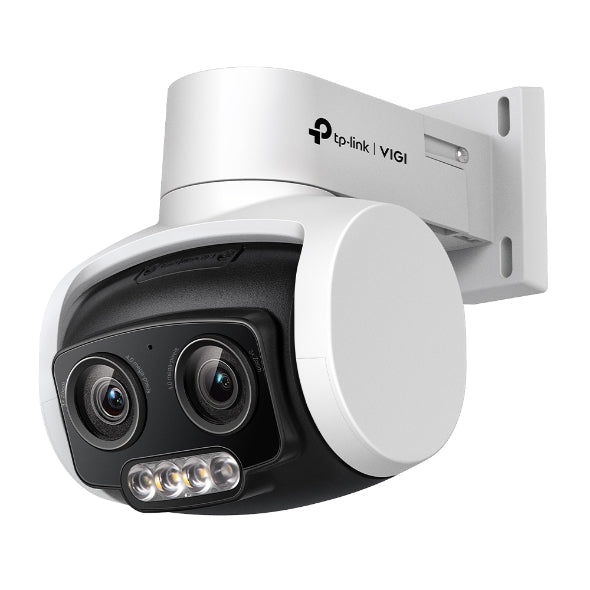
VIGI C540V - 4MP Outdoor Full-Color Dual-Lens Varifocal Pan Tilt Network Camera
- Brand
- TP-Link
- Model
- C540V
- Part number
- VIGI-C540V-2.8
- Max power draw
- 16.0 W
- Availability
- Ordered on demand
- Datasheet
- Manufacturer specifications ↗
Lens
This choice changes the specification and cannot be changed after ordering. Tell us which you need when you enquire.
Large campuses, parking structures, comprehensive coverage areas
Request a quoteSpecifications
| Resolution | 4MP (2560x1440) |
|---|---|
| Lens | Dual-lens 4–12mm, 3x mixed zoom |
| Pan and tilt | Pan 0° to 332°, tilt 0° to 120° |
| Night vision | Full colour, white light and IR up to 30m |
| Smart features | Instant Zoom, Human & Vehicle Classification, Smart Detection |
| Power | PoE+ 802.3at class 4 max 16W; 12V DC max 14W |
| Protection | IP66 |
| Operating temperature | -30°C to 60°C |
| Audio | Built-in microphone and speaker, two-way |
| Storage | microSD up to 512GB |
| Compression | H.265+ |
What this is for
Pans through 332 degrees and tilts through 120, with a 4 to 12mm varifocal lens giving 3x zoom, so one camera covers a compound that would otherwise need three fixed units and can then zoom into whatever it has found. Three white LEDs and an infrared LED reach 30 metres, holding full colour down to 0.005 lux.
IP66 rated for exterior mounting, with a microSD slot up to 512GB and two-way audio through a built-in microphone and speaker. It answers intrusions with an audible warning and a flashing white light. Budget 16 watts over PoE, the highest draw in the VIGI camera range, requiring an 802.3at Class 4 port: eight of these alone consume a 140 watt recorder. Suited to parking areas, yards, school grounds and hotel forecourts where the threat can come from any direction.
What you also need
This item is part of a system. A working installation needs each of these.
- ✓ A PoE+ (802.3at) port on a VIGI PoE recorder or PoE+ switch; an 802.3af-only port will not power this camera
- ✓ Cat6 cable, up to 100 metres per run
- ✓ A free recorder channel, with at least 16W of PoE budget left